Free browser tool
Minecraft Map Art Generator
Use this minecraft map art generator to turn an image into a flat map-color chart. Set the image to 128 cells wide, review the representative blocks and counts, then download a PNG to build from.
Make map artImages are processed in your browser. No sign-up is required.
Convert an image to Minecraft map art
The block list shows representative materials for each flat map color.
How to make image-to-Minecraft map art
- 1
Upload an image
Pick a picture with clear shapes and contrast.
- 2
Set 128 cells wide
One map spans 128 cells horizontally.
- 3
Use map colors
The flat palette uses one level color per material.
- 4
Review block counts
Check the listed colors and representative blocks.
- 5
Download the PNG
Use the chart as a visual guide while building.
One map is 128 × 128 cells
This tool defaults to 128 cells wide, and you can choose a smaller grid width in the converter. The image ratio determines the chart height, and the count below the preview estimates how many 128-cell map sections tall it is. A chart shorter than 128 cells still fits within one map’s height.
For a design wider than one map, split the source image into side-by-side crops and upload each crop separately. Set the grid width to 128 for each conversion; the image ratio determines each chart’s height. Keep the crop boundaries consistent so the sections line up. This page does not create a multi-map-wide file in one export.
Flat map colors and dithering
The flat palette uses the level-terrain shade for each of 61 non-transparent map colors. A staircase build can change map brightness by raising or lowering blocks, but this generator does not calculate those height steps; it stays with one color per cell.
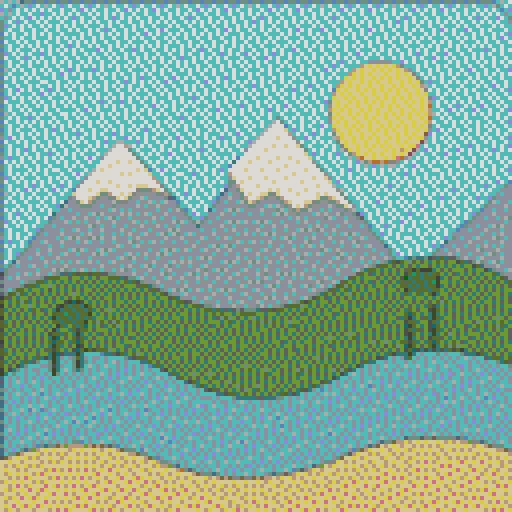
Floyd–Steinberg dithering is on by default to suggest colors the palette does not contain. It spreads those tones into small neighboring patterns. Turn it off when you prefer larger, cleaner color regions.
Palette data: MakeBead craft-color-codes dataset under CC BY 4.0. This page filters the source to shade 1 and formats block IDs as readable labels. The source palette is not tied to a named Java release; its 61 map base colors were checked against game data by its publisher. Minecraft is a trademark of Mojang Synergies AB. This is an independent fan-made tool, not affiliated with or endorsed by Mojang or Microsoft.
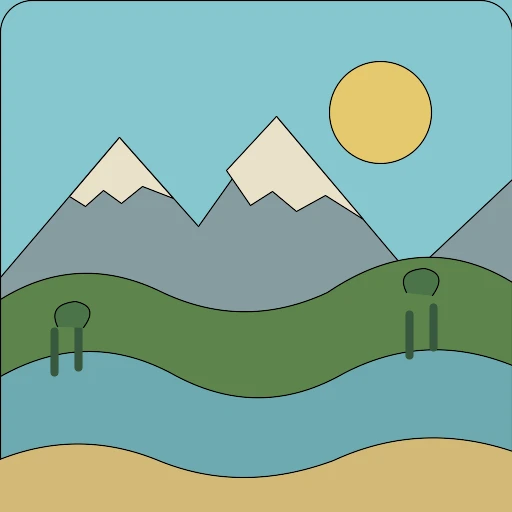
Example: a landscape converted to map art
This original landscape illustration was converted at 128 cells wide with flat Minecraft map colors and Floyd–Steinberg dithering on. The square source produces a 128 × 128 chart, about one map wide by one map tall.
What this map art generator does not create
- No staircase-height plan, schematic, litematic, map.dat, or command file.
- No single export wider than one map; split a wide source into sections.
- No guarantee that a suggested block matches every in-game map condition.
Minecraft map art FAQ
How do I turn an image into Minecraft map art?
Upload an image, set the chart to 128 cells wide, and review the map-color preview and block counts. Download the PNG and use it as a visual building guide.
How big is one Minecraft map?
One map covers 128 × 128 cells. This generator defaults to 128 cells wide; keep that grid width for a one-map-wide chart. The image ratio sets its height, and the readout estimates how many maps tall it is.
Can I create map art wider than one map?
Not in a single export. Split the source image into side-by-side crops, upload one crop at a time, and set each chart to 128 cells wide. Keep the crop boundaries consistent so the sections line up; each chart’s height depends on its aspect ratio.
What blocks can I use for Minecraft map art?
The palette lists 61 flat map colors and a representative block label for each. The same displayed color can depend on terrain, height, or map conditions, so treat the list as a starting material guide.
Should I use dithering for map art?
Dithering can suggest missing shades with small patterns between nearby colors. Keep it on for smoother gradients; turn it off for simpler, larger color patches.
Does this create a staircase plan or schematic?
No. It creates a flat-color PNG chart and block counts. It does not calculate height steps or export schematic, litematic, map.dat, or command files.
Is map art the same as Minecraft pixel art on a wall?
No. Map art is read through an in-game map item and uses map colors. A wall chart is viewed directly as blocks and can use the separate wool or concrete palette.