Free browser tool
Cross Stitch Pattern Maker: Turn a Photo into a Chart
Use this cross stitch pattern maker to turn a photo into a counted chart with DMC thread color references, a stitch grid, symbols, and a color-count list. Choose the stitch width and number of colors, then download a PNG chart.
Make a chartImages are processed in your browser. No sign-up is required.
Build a counted cross-stitch chart
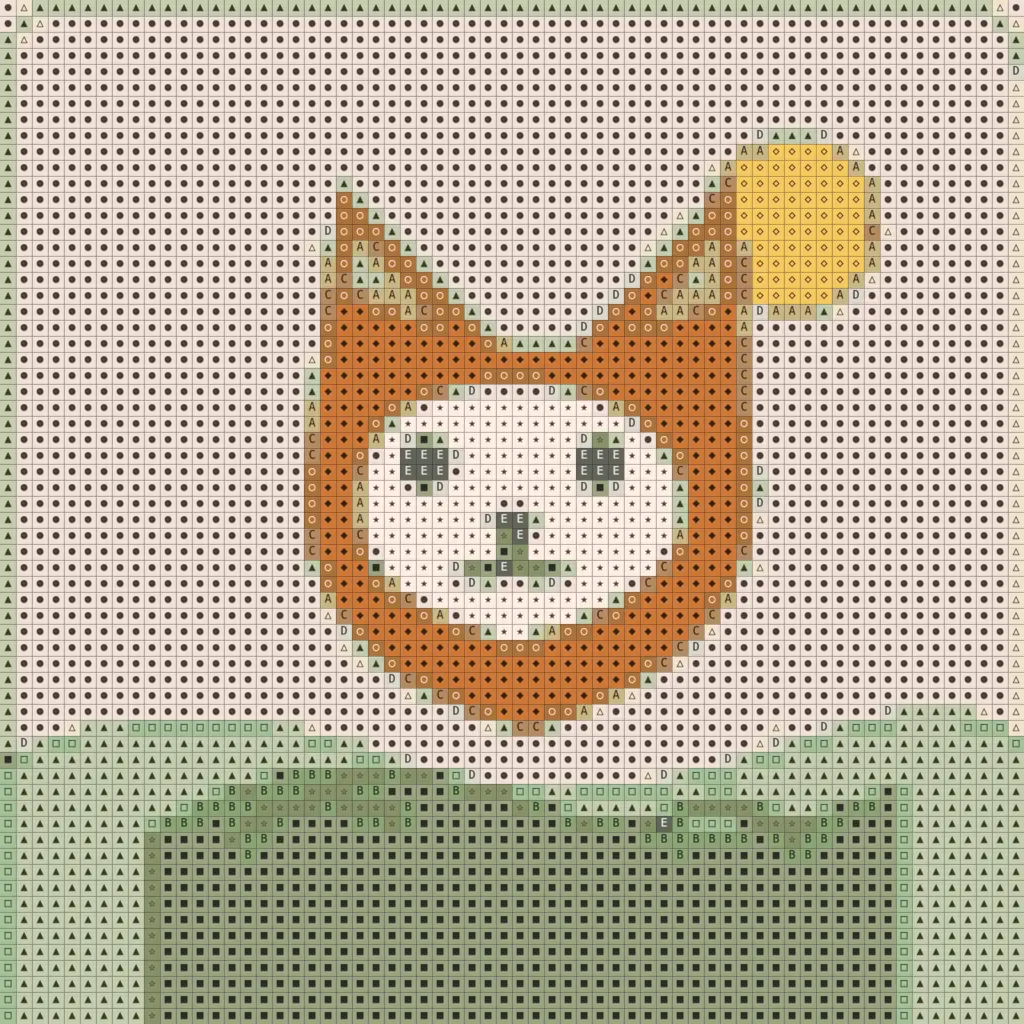
The PNG can include grid lines and symbols. The color names and stitch counts stay in the tool panel.
How to turn a photo into a cross-stitch pattern
- 1
Upload a photo
Choose an image from your device.
- 2
Choose stitch width
Set the number of stitches across the chart.
- 3
Limit the colors
Use 4, 8, 16, or 32 DMC color references.
- 4
Check the key
Review each symbol, thread label, and stitch count.
- 5
Download the chart
Save a PNG with the grid and symbols enabled.
Choose stitch count and Aida fabric
The grid width is the stitch count across the finished design. On Aida fabric, divide that count by the fabric count to estimate the stitched width; the chart height follows the image ratio. Add extra fabric around the design for finishing.
| Grid width | Aida 14 | Aida 16 | Aida 18 |
|---|---|---|---|
| 32 stitches | 2.29 in (5.81 cm) | 2.00 in (5.08 cm) | 1.78 in (4.52 cm) |
| 64 stitches | 4.57 in (11.61 cm) | 4.00 in (10.16 cm) | 3.56 in (9.03 cm) |
| 128 stitches | 9.14 in (23.22 cm) | 8.00 in (20.32 cm) | 7.11 in (18.06 cm) |
The converter also offers 16 stitches across for a compact chart. Crop the source image first if the subject should fill a square or a specific fabric area.
How many thread colors should you use?
Fewer colors make a chart simpler to sort and stitch, while more colors preserve finer shading. Start with 16 for a portrait, then try 32 if facial features or small details blend together. The available limits are 4, 8, 16, and 32.
The converter first chooses representative colors from the image, then matches each one to the nearest color in the DMC palette. Two representatives can map to the same thread color, so the final chart can use fewer colors than the limit.
Palette data: MakeBead craft-color-codes dataset under CC BY 4.0. Labels combine the thread number and name; the source hex values are screen approximations. DMC is a trademark. ImagePixel is not affiliated with or endorsed by DMC; compare colors with a physical thread card.
Example: an illustration converted to a stitch chart
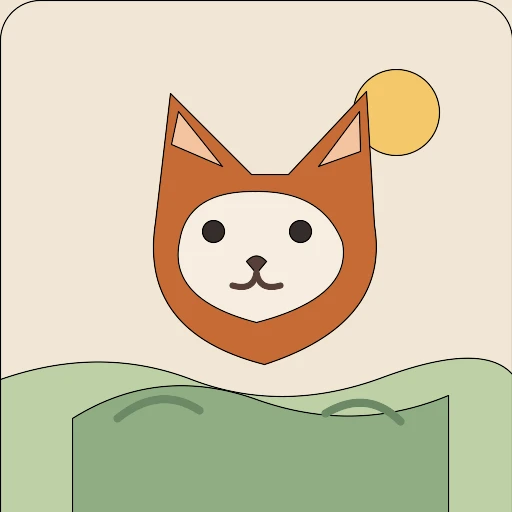
This original fox illustration was converted at 64 stitches wide with a 16-color DMC limit and dithering off. The chart export has grid lines and symbols enabled.
What this chart maker does not create
- No PDF or embroidery-software project file; the download is a PNG.
- No backstitch, half-stitch, or thread-length estimate.
- No guarantee that screen colors exactly match physical floss.
Cross-stitch pattern maker FAQ
How do I make a cross-stitch pattern from a photo?
Upload the photo, choose a stitch width, set a color limit, then review the symbols and DMC color counts. Download the PNG chart when the grid looks right.
What does a cross stitch chart maker include?
This tool makes a counted color grid, assigns symbols to colors, and lists each color with its stitch count. The PNG can include the grid and symbols; the color key remains in the tool panel.
How wide should I make the chart?
Choose a stitch count that fits the subject and fabric. For example, 64 stitches across is about 4.57 inches on 14-count Aida or 4 inches on 16-count Aida, before adding margins.
Can this pattern maker match DMC floss colors?
It matches grid cells to DMC color references using approximate screen values. DMC is not affiliated with ImagePixel, and a physical color card is the better reference for buying floss.
Does the PNG include the thread color key?
No. The PNG can include grid lines and symbols, while the tool panel shows the corresponding thread labels and counts. Copy or keep that list with the chart.
Can I download a PDF or add backstitch?
No. This page exports PNG charts and does not add backstitch or half-stitch paths. Those details need to be added in a separate pattern editor.