ImagePixel guide
Pixel Art Palette Reference: Game Boy, PICO-8, CGA and More
A palette is the fixed set of colors a pixel-art image is allowed to use. Classic palettes come from old hardware that could only display a few colors; modern ones are designed by artists so their colors shade well together. This page lists the exact hex values of the 11 named palettes in ImagePixel and shows the same image converted through each of them, so you can see how each one behaves before you pick it.
Updated October 9, 2026. Every example image on this page was produced by the current ImagePixel converter code with the settings shown in its caption.
How a fixed palette is applied
Each cell of the pixel grid is replaced by the palette color closest to it in RGB space. The palette does not adapt to your image. That has two practical consequences. First, a palette only works well if it contains colors near the main tones of your picture; otherwise large areas collapse onto one color. Second, palettes that contain mostly dark or mostly light colors shift the whole image toward that end.
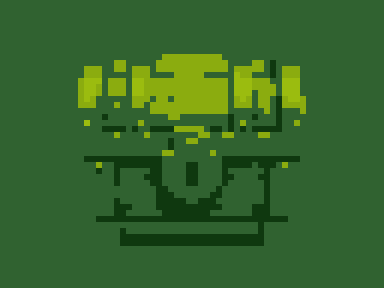
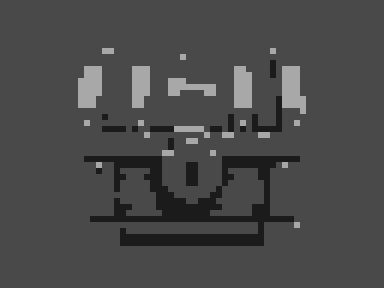
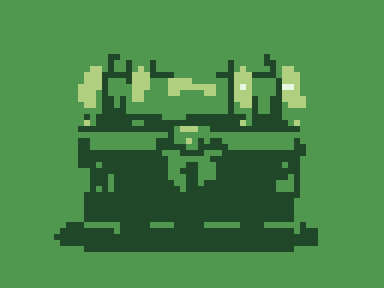
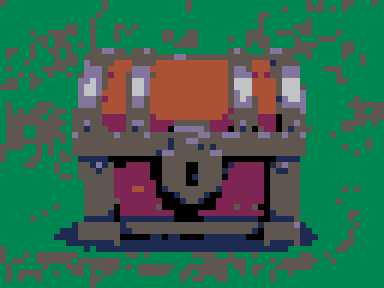
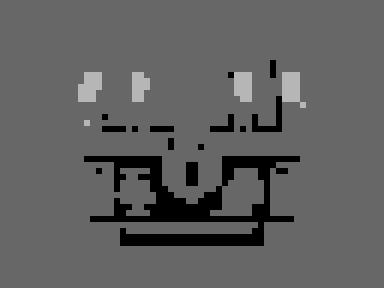
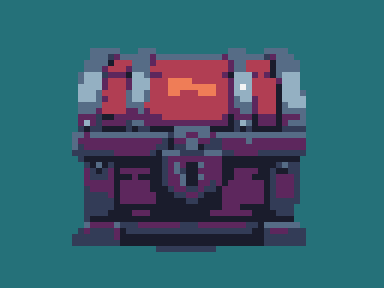
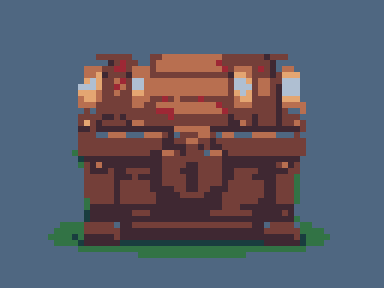
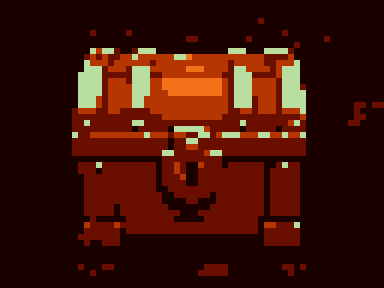
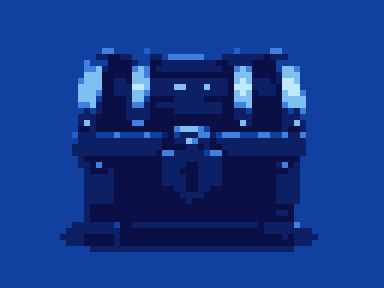
All examples below use the same 960 × 720 treasure-chest illustration at 64 columns (64 × 48 = 3,072 cells), with dithering off, so the only thing that changes is the palette. The counts quoted come from the converter's color-count panel for that exact setting. To compare palettes on your own image, open the converter, set a grid width, and switch palettes while watching the preview.
Game Boy (4 colors)
Four shades of green modeled on the original Game Boy screen, which could only show four shades. Because every color is green, the palette works by brightness: whatever is lightest in your image becomes the pale yellow-green and whatever is darkest becomes the near-black green.
#0F380F#306230#8BAC0F#9BBC0F
GB Pocket (4 colors)
Four neutral greys, closer to the grey-on-grey screen of the Game Boy Pocket. Use it when you want the handheld look without the green tint.
#1B1B1B#494949#A8A8A8#FFFFFF
GBA (4 colors)
A lighter, softer four-step green ramp. Despite the name, it is not the Game Boy Advance hardware palette, which could show thousands of colors; treat it as a pastel alternative to the Game Boy set.
#E8F8E0#B0D080#509850#204828
PICO-8 (16 colors)
The fixed 16-color palette of the PICO-8 fantasy console by Lexaloffle. It mixes saturated primaries with a few muted tones, which is why so many small indie games share its look.
#000000#1D2B53#7E2553#008751#AB5236#5F574F#C2C3C7#FFF1E8#FF004D#FFA300#FFEC27#00E436#29ADFF#83769C#FF77A8#FFCCAA
CGA (16 colors)
The 16-color RGBI palette of IBM’s Color Graphics Adapter from early PCs: black, greys, and full and half-intensity versions of red, green, blue, cyan, magenta and yellow, plus the distinctive brown (#AA5500).
#000000#555555#AAAAAA#FFFFFF#0000AA#5555FF#00AA00#55FF55#00AAAA#55FFFF#AA0000#FF5555#AA00AA#FF55FF#AA5500#FFFF55
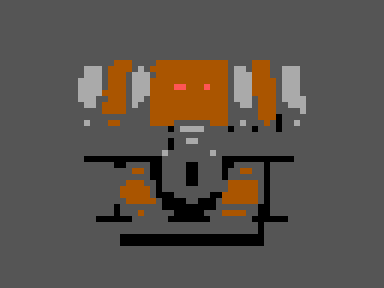
1-Bit (2 colors)
Pure black and pure white. Without dithering, every cell goes to whichever of the two it is closer to, so the result depends entirely on how bright the image is.
#000000#FFFFFF

Grayscale (4 colors)
Black, two greys and white. A quick way to check whether an image still reads by value alone, which is a common test in pixel art: if it works in four greys it will work in any four-color palette of similar brightness steps.
#000000#676767#B6B6B6#FFFFFF
Sweetie 16 (16 colors)
A popular community palette by GrafxKid with a dark navy, warm reds and oranges, greens and a range of blue-greys. It is designed so the colors form usable ramps for shading.
#1A1C2C#5D275D#B13E53#EF7D57#FFCD75#A7F070#38B764#257179#29366F#3B5DC9#41A6F6#73EFF7#F4F4F4#94B0C2#566C86#333C57
Endesga 16 (16 colors)
A community palette by ENDESGA with warm skin and wood tones, earthy reds and cool blue-greys. It suits characters and natural materials.
#E4A672#B86F50#743F39#3F2832#9E2835#E53B44#FB922B#FFE762#63C64D#327345#193D3F#4F6781#AFBFD2#FFFFFF#2CE8F4#0484D1
Autumn (8 colors)
An ImagePixel set built around a dark-red-to-cream ramp with one pale green. Everything is pushed toward warm tones.
#1B0000#6A0F00#B53600#F4731A#FFB347#FFE085#FFF8CC#B8DEA0
Ocean (8 colors)
An ImagePixel set made of a navy-to-white blue ramp. It works like a blue tint plus value steps.
#0A1045#0D2066#1040A0#2060C8#4080E0#80C0F0#C0E8FF#FFFFFF
Choosing a palette: a short decision list
- You want the image to keep its own colors, just fewer of them: skip fixed palettes and use Max Colors instead.
- You want a handheld-console look: Game Boy for green, GB Pocket for grey. Check that the subject still reads by brightness alone.
- You want a bright indie-game look: PICO-8 or Sweetie 16.
- The image has skin, wood or earth tones: Endesga 16 keeps those tones better than the other 16-color sets.
- You need a strict black-and-white result: 1-Bit, but brighten the source first and consider dithering.
- You are planning a build with real materials: use the material palettes described in the Minecraft wool and concrete comparison.
ImagePixel does not currently accept custom or imported palettes. If you need an exact brand or hardware palette that is not listed here, convert with Max Colors and recolor in a pixel editor.